OzCAD Australian Vectorworks Distributor

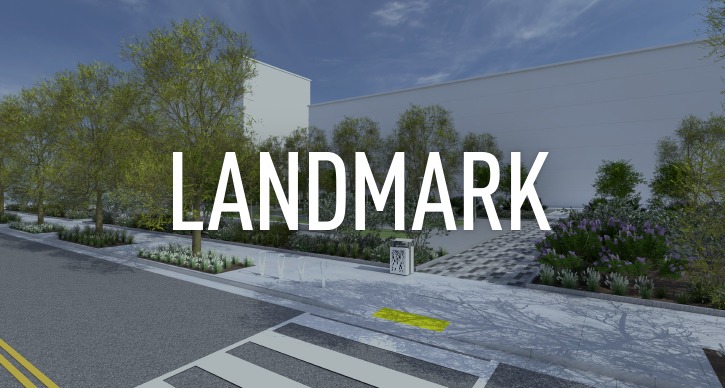
Vectorworks Landmark

Vectorworks Landmark Overview

Vectorworks Landmark is the new standard in Landscape design software. Whether you do landscape architecture, landscape design, contracting, or planning, you’ll be able to design whatever you envision with Vectorworks Landmark. Its flexible tools, versatile capabilities, and intuitive interface provide you with a superior 2D and 3D design application that is second to none.

Benefits

Where is it written that landscape design software has to be expensive or difficult to use? Certainly not at Vectorworks. We've designed Vectorworks Landmark with our users' input, so it is reasonable and easy, yet sophisticated. It features a short learning curve, advanced 2D and 3D site design capabilities, automatic schedules and reports, a vast plant database, a suite of building tools, free landscape and site symbol libraries, AutoCAD® compatibility and support for GIS files. It is a comprehensive package that lets you document and present your designs with efficiency and elegance. We put that in writing.

Works the Way You Think

Vectorworks Landmark is intuitive. The program was created to mirror the way landscape designers work, so you don't need to focus on the logistics of doing the work. You're free to focus on the work itself.

Flexible to Fit Your Workflow

Work on any size project or in 2D or 3D. Design whatever you can dream up. With Vectorworks Landmark you're not limited by the software. The possibilities are wide open.

Comprehensive to Cover Your Needs

Use one program for everything. From conception to completion, Vectorworks Landmark features state-of-the-art technology with a comprehensive set of design tools to support your entire practice.

  • Streamlined Site Documenting
  • Easy Sketches and Presentations
  • Detailed 2D Construction Drawings
  • Thousands of Free Drag and Drop Resources
  • Automatic Reports and Lists

Superior in Presentations

Define your signature look with advanced, high-end graphics design technology in both 2D and 3D and large libraries of entourage. Your style is not limited by "cookie-cutter" looks.

  • Unique Hard/Soft Rendering Styles
  • Accurate Mapping and GIS
  • Automatic Digital Terrain Modeling (DTM)
  • Bountiful Plant Images

Plays Well with Others

Vectorworks Landmark can work fluidly with your colleagues' or your other programs, so there's nothing lost in the translation.

Customer Focused for Your Success

Your relationship with us doesn't end when you download the software. We provide many channels for you to get the information, training, tech support, and networking you need.

Cost-Effective for Your Practice

You won't find another professional design program that packs so much into such a small price. In one package, you get state-of-the-art tools and technology and the ability to work from conception to completion.

Join Us

We listen to our customers and use their feedback to create a product that continually exceeds expectations, delivering superior design flexibility and world-class graphics. Join the more than 400,000 professional designers worldwide who use Vectorworks every day.

Landmark

New In 2012

  • Automatic Working Plane

    Significantly improve your modeling efficiency by using modes in modeling tools to automatically infer working planes as you move your cursor around the model. Simply select a tool and click to create objects on any 3D surface.

    View Movie
    View Image

  • Instant Push/Pull Mode

    We added this user-friendly feature to our planar tool set so you can instantly push or pull profile geometry without additional steps. It's a great time saver.

    View Movie

  • Optimized 3D Dimensions

    It's easy to dimension 3D features by sensing the 3D working planes with the mouse. Simply click on 3D features with your constrained, angular, or radial dimension tools and dimension away.

    View Movie
    View Image

  • Heliodon

    With this easy-to-use tool, you no longer need to know coordinates or a time zone to place a Heliodon object with a directional light when it contains attached data like the region and city. You can create QuickTime solar animations and create "view from sun" animations too.

    View Movie
    View Image

  • Unified Reshape Tool

    The 2D and 3D reshape tools have been consolidated into a single powerful tool that reshapes both 2D and 3D objects.

    View Movie
    View Image

  • Reshaping Multiple Vertices of NURBS Curves

    With one drag, you can reshape NURBS curves with great precision and control by moving individual or multiple vertices.

  • Better Door Capabilities

    Use new options to create unequal bi-part leaves and several bi-part and double acting door configurations. Define a doors threshold to extend into and even beyond the doorjamb. Even define door muntin depths for glass leaves, transoms, and sidelights.

    View Movie

  • Increased DXF/DWG Support

    Discover the advantages of efficient collaboration. You'll have better support for image fill export and import, transparencies, and gradient types, plus a new ability to save user defined settings for DXF/DWG export. You can pick and choose the objects you want to export to DXF/DWG- even hatches. You can interface seamlessly with AutoCAD 2012 files and even import clipped AutoCAD blocks as cropped Design layer viewports or as symbols without cropping. We've also made it simpler to save your defined mappings of DXF/ DWG colors to Vectorworks line weights.

    View Image

  • Export to Five Previous Versions of Vectorworks

    Now it's easier to collaborate with users of previous versions of Vectorworks software with the ability to export all the way back to Vectorworks 12.

  • Add New Parasolid Version Number in Export Parasolid X_T

    Use this new option to specify a version number on the Parasolid X_T file format export.

  • Faster Access to Frequently Used Settings

    Get ready for a super time saver. Now you can access frequently used tool settings directly in the tool bar without having to open a settings dialog.

    View Image

  • Modify by Record Value

    You've received a very powerful set of options for making modifications to selected objects or an entire drawing based on record values. With this command you can automatically modify the attributes of objects, resize objects, and even create extrudes for objects sharing a specific record value.

    View Movie
    View Image

  • 2D X-Ray Mode

    No more hide and seek! Just press the "B" key while you're using the selection tool and you can easily see and select objects that are hidden behind filled objects.

    View Movie

  • Hidden Line Intersection Edges

    A new option in Hidden Line rendering modes gives you the flexibility to have Vectorworks calculate and draw the lines between intersecting geometry.

    View Image

  • Faster Viewport Visibility Navigation

    Another huge time saver- we've significantly improved the speed of navigation between sheets and from sheet layers to design layers for larger files.

    View Movie

  • New Hatch from Customized Hatch

    Save your newly customized tiles and hatches as standard tiles and hatches so you can easily reuse them.

    View Movie

  • GIS

    With our new GIS capabilities, you can store georeferenced information on each Vectorworks design layer, transform geometry to a different map projection or georeferenced coordinate system, and enjoy improved Shapefile import and export functions.

    View Movie
    View Image

  • Site Model Enhancements

    New visual feedback notifies you when the site model is out of date. We've also added alert dialogs to let you know if you're losing contours when elevation ranges are not updated.

    View Movie
    View Image

  • Miscellaneous Landmark Changes

    Now the Landscape Area Object has clearer control over the distribution rate and custom coverage percentages. Also, we've enhanced the Offset settings for the Create Stepped Wall command and we've improved the New Water Needs and Climate Zone fields in the Plant database.

    View Image

  • Better Stake Objects

    Among other smart enhancements, you'll see the following new parameters and new values for existing parameters in the Stake mark offset and marker rotation fields: "None" and "Filled Triangle marker styles, and XY and XYZ Coordinate Point options.

    View Movie
    View Image

  • Retaining Wall Site Modifier Improvement

    Customize the shape and elevation of the underlying pad of the site modifier. Additionally, the site modifier sides can be reshaped around retaining walls.

    View Movie

  • Hardscape Improvements

    Thanks to your detailed feedback on hardscapes, we have made some significant changes. Look for better control over hardscape creation, a new convert option between boundary and path configurations, and the ability to specify different pattern sizes for Grid and Running pavers.

    View Image

Landmark

New In 2011

New Apply Saved Hardscape Settings to Existing Hardscapes New Apply Saved Hardscape Settings to Existing HardscapesOnce a hardscape is set to the desired appearance, save it as a resource. You can then drag the resource onto a different hardscape to automatically apply your saved settings in just seconds! View movie
New Retaining Wall Site Modifier New Retaining Wall Site ModifierThis new parametric object not only allows you the flexibility to sculpt the terrain around the wall, but also to easily produce materials take-offs. View movie
New Grade Tool New Grade ToolThis innovative new tool creates a parametric grade object to annotate terrain slopes on site plan documents. Grade objects can be networked together to show slope characteristics across a surface. View image
New Create Stepped Wall Command New Create Stepped Wall CommandHere's a simpler method for creating a stepped wall that contains wall peaks at even intervals-one with a constant rise at each interval, or one with a variable rise conforming to the underlying terrain. View image
Site Model Improvements Site Model ImprovementsSite models are more robust than ever with these enhanced options: easily map aerial images onto site models; use color to illustrate grade changes between contour lines; display cut and fill with a new display option. And more. View movie View image
Resource Browser Library Access Resource Browser Library AccessIt's much easier to find the amazing libraries of resources that ship with Vectorworks 2011 software. Use shortcuts to the Vectorworks, workgroup, or user folders to find what you need in no time. View image
Improved 3D Environment Improved 3D EnvironmentThe 3D environment is much more intuitive in the Vectorworks 2011 software. Working in 3D is similar to the ease of 2D, for a truly unified and simplified experience. You can draft any shape, on any plane, in any view, using the tools you already know how to use. View movie View image
Push/Pull & Face Selection Push/Pull & Face SelectionThe tool's name tells you how it works-just push and pull. The Push/Pull tool can edit solids faces and planar objects just like it would in the real world, so you get dynamically interactive feedback and instant results as you work. View movie View image
Extract Planar Objects Extract Planar ObjectsNow the Extract tool can create instant planar objects from a 3D surface in the Extract Surface mode, so you can simulate the appearance of a hatched 3D object. View movie View image
New Scalable Symbols New Scalable SymbolsNow you can adjust the scale of a symbol right from the Object Info palette, without having to create a new symbol for each size that you need. That's not all-symbols can now be page-based or world-based when created, so if you have an annotation symbol, it will always display at the size you want. View image
New Tile Fills for 2D Objects New Tile Fills for 2D ObjectsThis creative new fill type will amaze you! Enjoy creating beautiful tiled patterns on planar objects. View movie View image
Multi-File Batch Print Multi-File Batch PrintSave time by printing from sets of multiple saved views and sheet layers from Vectorworks files, whether open or closed. Do the same for PDF exports. View image
Perfect Preview Text Editing Perfect Preview Text EditingWe're taking the guesswork out of your work. With perfect text preview, text appears the same when editing as it does on the drawing, saving you time and effort. Rotated text can be edited in place, or un-rotated if needed. View movie View image
Text Styles Text StylesUse text styles to quickly and easily apply and maintain a consistent look to all text throughout a file, including text in sheet borders, dimensions, and callouts. Text styles are resources that can be shared among files to facilitate compliance with office standards. View movie View image
Improved Text Improved TextCheck out these additional options: - Use a tight fill for optimal text background fill effects - Check spelling from the context menu during text editing - Rotate text with the Selection tool - Left and right justify your text at the same time - Make units look more accurate with sub- and superscript options. View movie View image
New Select Connected Objects Command New Select Connected Objects CommandHere's a handy command that will save you a bunch of time. Select one or more objects and all other objects that are connected end-to-end are also automatically selected. I This is especially useful for imported DWG survey drawings. View movie View image
New 3D Wall Components New 3D Wall ComponentsEnjoy better wall modeling with more realistic section views and textured wall components. Wall components can be offset from the wall itself, and of varying heights for detailed wall views. View movie View image
New Even Divide Command New Even Divide CommandThis convenient command divides lines, arcs, circles, and rectangles into even subdivisions. View movie View image
New Triangle Tool New Triangle ToolAdd the new Triangle tool to your tool set to quickly create triangles by a variety of methods. View movie View image

Features

Create dynamic 2D and 3D designs, glide through your projects with a tightly streamlined interface, and access extensive features and resource libraries. Vectorworks Landmark offers the features you want in a comprehensive, intuitive software that will multi-task just like you do.

A vast suite of 2D precision drafting tools provide you intelligent ways to design.

  • Parametric Constraints
  • Free Hand Tool
  • Smart Cursor
  • Mirror
  • Rectangle
  • Tangents
  • Flyover
  • Split
  • Rounded Rectangle
  • Lines
  • Spiral
  • Attribute Mapping
  • Rotated Rectangle
  • Double Line
  • Eye Dropper
  • Trim
  • Circle
  • Arc
  • Attribute Mapping
  • Fillet
  • Circle by Points
  • Polyline
  • 2D Reshape
  • Chamfer
  • Oval
  • Polygon
  • Rotate
  • Offset
  • Clip
  • Move by Point
  • Chamfer tool
  • Double Polygon
  • Connect/Combine
  • Create Similar Object
  • Plan Rotate
  • Select Similar

Site Information Modeling functionality is available in flexible 2D/3D workflows.

  • Viewports
  • Two-Way Worksheets
  • Unified View
  • Digital Terrain Modeling (DTM)
  • Design Layer Reference Viewports
  • Plant Database
  • Planar Graphics
  • Zone of Visual Influence

Intelligent site planning tools enable an easy transition into designing.

  • Plant Tool
  • Landscape Area
  • Property Line
  • Stake Object
  • Hardscape Tool
  • Irrigation Tool
  • Massing Model
  • Landscape Wall
  • Site Modifiers
  • Roadways
  • Grade Calculator
  • Parking Spaces

Hybrid 2D/3D objects allow you to design with valuable information already attached.

  • Columns
  • Stairs & Handrails
  • ADA Ramps
  • Doors & Windows

A suite of powerful free-form modeling tools make it easy to design custom objects and shapes.

  • Boolean Operations
  • Nurbs Curves
  • Loft Surface
  • Extrusions
  • Extractions
  • Protrusions
  • Shells
  • Solids

Create stunning presentations with options other programs just don’t provide.

  • Gradients
  • Image fills
  • Hatches
  • Hand Sketch Styling
  • Unilock Paving Patterns
  • Xfrog Image Library
  • Unlimited Color Choices including palettes from Pantone®, Benjamin Moore®, Sherwin-Williams®, Resene®, Pittsburgh Paints®, and more.

Sharing your drawings is very simple with a broad array of import/export options.

  • DXF/DWG
  • PDF
  • .skp (Sketchup)
  • .kml (Google Earth)
  • .3DS
  • JPG, TIF, PSD, EPSF and more
  • QuickTime & QuickTime VR
  • .stl
  • .IGES
  • .SAT
  • Shapefile
  • Parasolid X_T

Annotate and detail your drawings using the detailing suite in Vectorworks Landmark. Options include:

  • Constrained Dimensions
  • Angular Dimensions
  • Radial Dimensions
  • Chain Dimensions
  • General Notes
  • Scale Bar
  • Redline and Revision Control
  • Section Markers
  • ID labels
  • Slope Dimensions
  • Grid Bubble Tool
  • Break Line
  • Drawing Borders and Title Blocks
  • Dimensional Constraints Manager

Extensive symbol libraries ship with Landmark so you don’t have to draw from scratch.

  • Landscape Lighting
  • Landscape Objects
  • Landscape Stipples
  • Plant Objects
  • Site Furnishings
  • Game Fields
  • Monrovia Plant Data and Images
  • Irrigation Heads
  • Irrigation Pipe
  • Parking and Roads
  • Site Planning
  • Vehicles
  • People
  • Trees and Rocks
  • Map Symbols
  • Electrical Accurate Lamps
  • Millwork
  • Flooring and Decking
  • Paving Patterns
  • Pools and Fountains

Australian Features

OzCAD produces a special version of Vectorworks Landmark called Landmark Australia, which is localised for Australian practice. It contains Australian libraries, additional tools and commands, along with high quality 2D and 3D entourage libraries for people, vehicles, trees, furniture, hatches, colour palettes, image fills and gradients. For more information, read the detailed descriptions below.

Australian Plant Database

The Australian Plant Database utility provides an comprehensive range of data on 1350 plants. This utility can be searched using complex search criteria and is designed to allow users to expand the number of entries and add information such as the projects where a particular plant has been used, or the local government areas to which the plant is indigenous. Each entry in the database is designed to fit onto an A4 page so you can easily provide clients with a series of print-outs containing detailed information about their proposed plant list.

The database is tightly integrated with Landmark and also has the ability to directly search Google Images or Wikipedia for additional plant information, which can then be easily transferred to the database.

Existing Tree Tool

This tool allows users to identify existing significant trees on their plans, then enter relevant information such as Latin and common names, height, spread, calliper, condition, SULE, significance and what action needs to be initiated.

Existing Tree Tool

Australian Colour Libraries

This command provides access to libraries of professional Colour Systems commonly used by Specifiers in Australia. Standard libraries include Dulux®, Taubmans, Porters, Murabond, Colorbond®, Laminex®, Concrete Colour Systems and Cabots®.

Coordinate Marker Tool

Allows a drawing to be setout with coordinates that refer to a user defined origin or datum. If datum changes, objects can be updated to display the new settings. Options include whether IDs are displayed (as in the example below), and whether X/Y or X/Y/Z values are shown.

Coordinate Marker Tool

Custom Dashed Line Tool

Useful for boundary lines, piping runs or electrical wiring, this tool is designed to draw straight sided polygons with edges comprising of dashed lines with a cross line or piece of text in the dash space. Once drawn, the polygon can be reshaped with the 2D Reshape tool.

Equal Dimension Tool

Replaces the numeric dimension value on a picked dimension with the text ‘EQ’.

Handrails Tool

This tool allows a much greater variety of handrail objects to be drawn as a single piece or as multiple mitred lengths at any angle. It includes a library of predefined types that include glass, wire, timber and aluminium.

Heliodon Tool

For doing shadow diagrams and sun studies. The tool makes it much faster to set the sun position, can store an unlimited number of locations and also has the ability to view the model from the sun. You can also step though the times of the day in any view and watch how a shading device or other aspect of your building performs. Solar calculations can be done using solar time as well as clock time, removing ambiguity from shadow diagrams. As well, you can produce on-screen or QuickTime® solar animations viewed from the sun, providing a much faster way to assess solar access or to evaluate shading devices.

Heliodon Tool

Entourage and Resource Libraries

  • Additional hatch libraries
  • Additional paving brick, vegetation, stonework and other materials image fills and textures
  • Additional colour palette libraries
  • Additional gradient fills
  • Extensive and new 2D and 3D libraries for people, trees, cars, furniture, etc.
  • New 3D tree and people image prop objects for rendering

Quick Building Tool

Produces simple block models that can be used for shadow diagrams, floor space calculations or any time you need one or more simple shaped buildings quickly. Buildings can have flat, hip or gabled roofs.

3D Tape Measure Tool

Quickly determine distances between points or objects in a 3D model using this new tool. Like its 2D counterpart, it provides a running total length as well as the length of the last segment drawn.

Title Block Tool & Issue Command

The VAA Title Block tool and VAA Revise Issue Print commands provide a complete and flexible system for adding title blocks to drawings, entering issue or revision notes, batch printing and creating or updating a comprehensive transmittal. These tools are designed to speed-up drawing management whilst maintaining more accurate and detailed revision and issue history for the full duration of a project.

In Vectorworks 2008, there are new options which include north points, drawing stamps and custom names for title block symbols.

AnimationWorks

AnimationWorks allows you to create complex camera or object animations entirely within Vectorworks, then save them as QuickTime movies which can be viewed by anyone who has QuickTime installed. Read more and see sample movies.

WinDoor Tool

Creates simple or complex windows and doors which are fully editable parametric objects. It allows design and documentation to happen more quickly and provides increased control over component sizes, greater flexibility with door and window designs, better line weight and class control, and the ability to do corner and bay windows with a few clicks. Supports a much greater range of door and window styles for both residential and commercial construction, including parallel sliding door systems, louvred windows, sashless glass windows, pivot doors, glass doors, glass block windows, along with all other conventional door and window types.

WinDoor also includes a custom library of standard Australian doors and windows that can be added to or edited by the user, then used to replace or modify an existing object. With the latter option, it is possible to copy one, some or all attributes from a library item, then apply these to one, some or all WinDoor objects in the drawing. Other new options also include pivot, hopper and round windows, as well as overhead doors.

All WinDoor objects can report both glazing and ventilation areas and have additional data entered such as glass and frame type, screening, egress, compliance and so on.

WinDoor Tool